1
Create a free WaveSpeed account
Go to wavespeed.ai and sign up (Google or email). It's free to create an account.
Tip: bookmark wavespeed.ai — you'll top up there whenever your balance runs low.

Bring your own key
Kineo runs on your own WaveSpeed key — your video cost is billed straight to your WaveSpeed account at WaveSpeed's own price, with $0 platform markup. Here's how to set one up.
Instead of us reselling you compute at a markup, you plug in your own WaveSpeed key and pay WaveSpeed directly, at cost. You stay in full control of your spend, and you see the exact price of every video before you generate it.
Go to wavespeed.ai and sign up (Google or email). It's free to create an account.
Tip: bookmark wavespeed.ai — you'll top up there whenever your balance runs low.
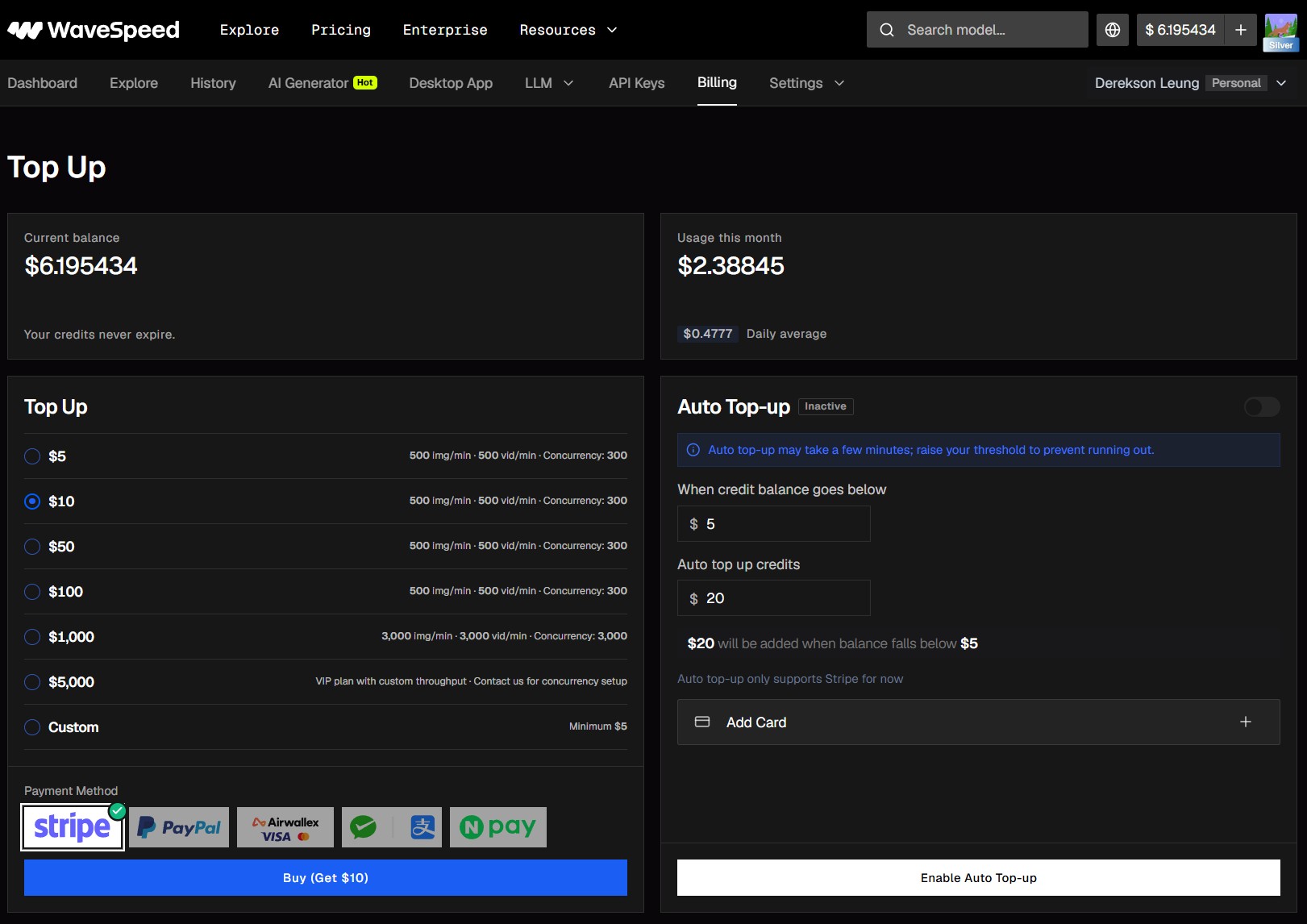
In WaveSpeed, open Billing then Add credits. WaveSpeed bills in US dollars; your balance shows at the top of the dashboard. A few dollars covers many short videos.
You only ever spend your own balance — Kineo never charges your card.
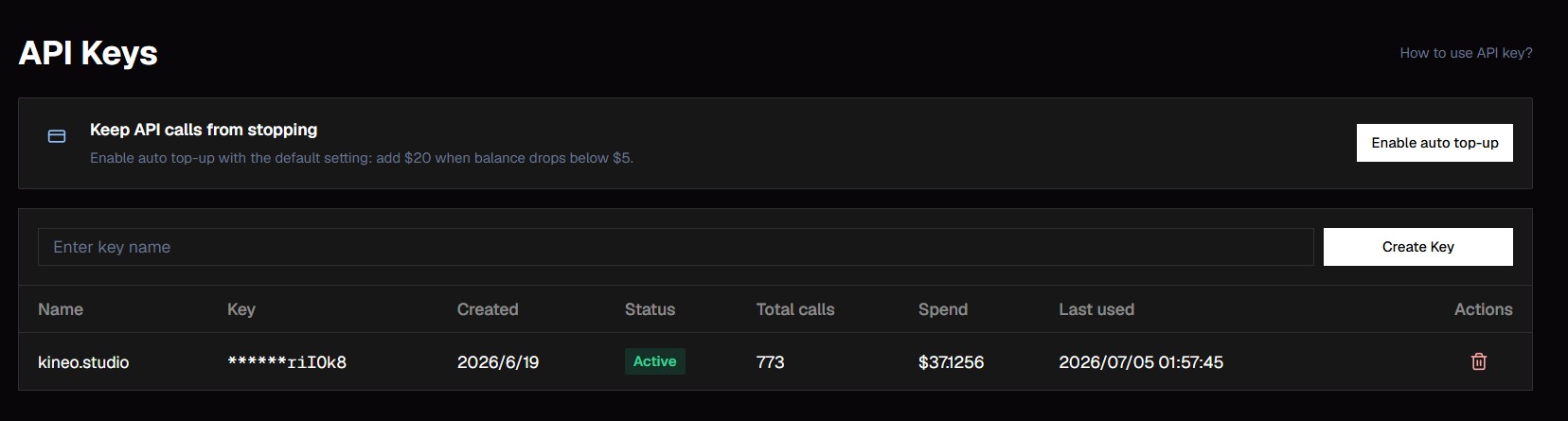
Open the API Keys tab in WaveSpeed, create a new key, and copy it. Treat it like a password — don't share it.
You can create more than one key and delete any key anytime from the same page.

Back in Kineo, open the API key (金鑰) panel, paste your key, and save. Kineo checks the key instantly and you're ready to create.
If the check fails, re-copy the key (no extra spaces) and make sure your WaveSpeed balance isn't empty.
Open Kineo and start creatingYou pay only WaveSpeed's own per-generation price, billed to your WaveSpeed balance — Kineo adds nothing. A typical short video ranges from a few US cents to about US$1+, depending on length, resolution, and whether you add a digital avatar. Kineo shows you the estimated cost before every generation. New WaveSpeed accounts currently get US$1 in free credit (no card required), so your first short video on budget settings can cost you nothing at all.
Yes. Your key is encrypted at rest, used only to run your own generations, and never shared or shown again after you save it. You can delete it from the API key panel anytime, which immediately stops Kineo from using it.
You need some balance on your WaveSpeed account to generate. WaveSpeed handles the top-up on their Billing page; you stay in control of how much you add.
A few dollars is plenty to try Kineo. Each short video costs from a few cents to about US$1, so a small top-up goes a long way.
Yes — it's your own WaveSpeed account key. You can reuse it in other tools that support WaveSpeed, or keep a separate key just for Kineo.
Re-copy the key from WaveSpeed's API Keys page (make sure there are no extra spaces), and confirm your WaveSpeed balance isn't empty. Then paste it into the API key panel again.
Open Kineo and start creating